

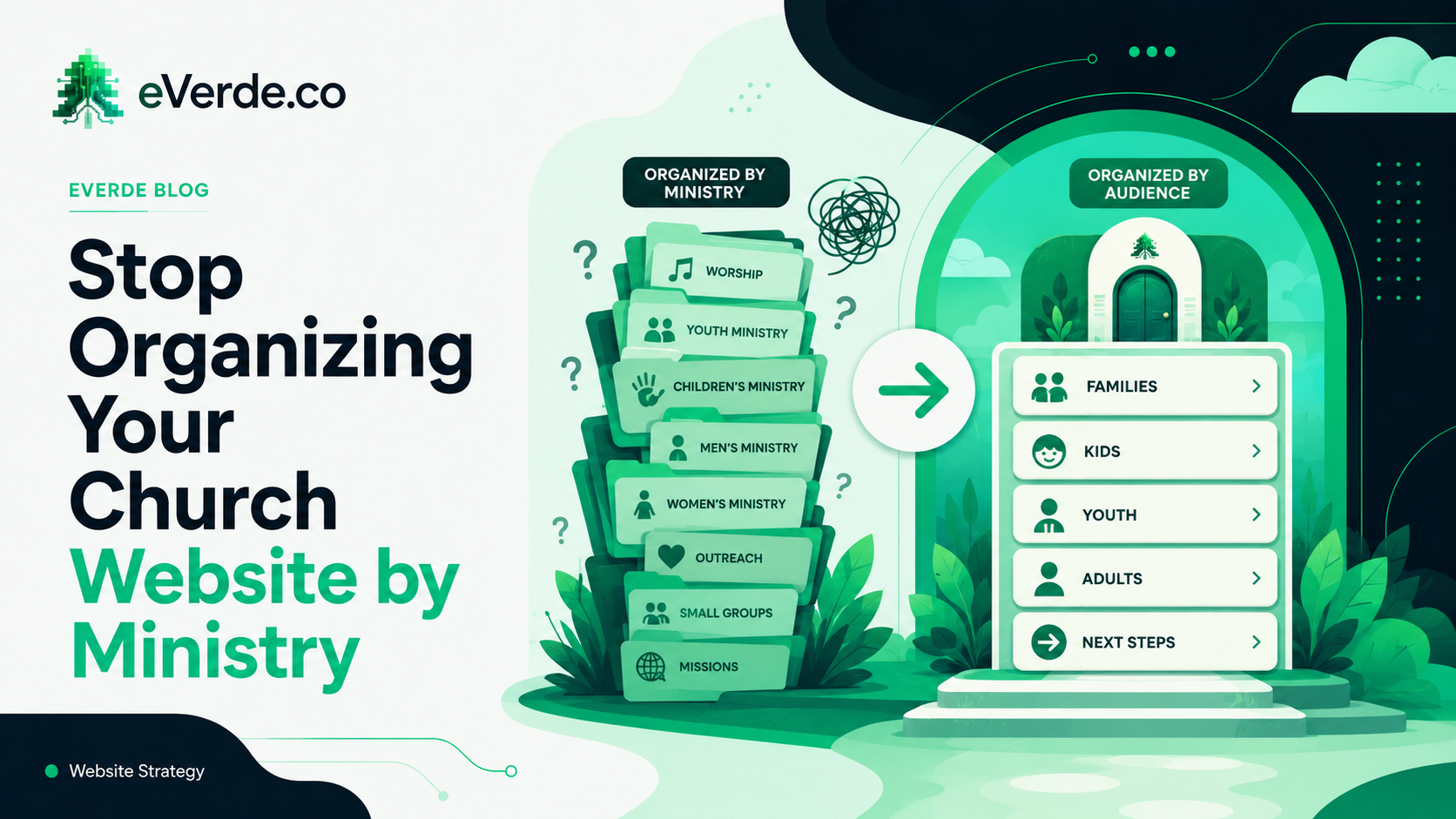
Most church websites are organized by ministry. There is a children's ministry page, a youth ministry page, a worship ministry page, a men's ministry page, and a women's ministry page. This makes perfect sense to the staff. It makes zero sense to the person visiting your website for the first time.
The Problem with Ministry Pages
Imagine walking into a church for the first time. You have three kids with you. You are by yourself. You overshare a little and the greeter finds out you are recently divorced.
A good greeter would say: "You would really like the men's group. We have a divorce care group. We have middle school and high school programs for your kids. There is a picnic tomorrow we would love for you to attend."
They would not say: "Check out the Althia ministry. That is our GED program. Then go down the hall to Venture, which is our kids thing. Then knock on the next door to find out what that ministry does."
But that is exactly what most church websites do. They make people knock on each door, open each ministry page, and figure out on their own which programs are for them. Nobody does that. They leave.
Organize by Audience, Not Ministry
I structure church websites around two things: products and audiences.
Products are the things your church offers to help people grow. Small groups, Sunday worship, midweek programs, retreats, conferences, summer camps, child dedication, baptism classes, counseling.
Audiences are the people you serve. Children, students, adults, young adults, seniors, special needs, Spanish speakers, military families, college students.
Every product that helps a specific audience gets mentioned on that audience's page. This is the key. The children's page does not just list what children's ministry runs. It mentions the worship department's kids choir. The men's ministry's father-son fishing trip. The women's ministry's Mothers of Preschoolers. The discipleship ministry's family camp. The children's ministry's Sunday program.
How would a new parent ever know to visit five different ministry pages to find out what their kids were supposed to get? They would not. You would never do that to someone in person. Do not do it on your website.
What This Looks Like in a Custom Subsplash Build
Here is where this approach pays for itself operationally. When you create an event in Subsplash, you tag it for every audience that needs to know about it.
A baptism event gets tagged for your all-events calendar, adults, young adults, youth, kids, special events, and the campus where it happens. It does not get tagged for your community outreach calendar because that is for food drives and health fairs.
Those tags automatically populate the event on every audience page where it belongs. The kids page shows upcoming kids events. The adults page shows upcoming adult events. The campus page shows campus-specific events. You enter the event once and it shows up everywhere it should.
The result: the only page you update every week is the Weekly Update. Every other page on your website updates itself through Subsplash's embedded calendar and content tools. Your events page, your kids page, your groups page — all of them pull live data from what you have already entered in the Subsplash dashboard.
The Sustainability Test
I had a church where I built the kids page around audiences. Parents could see every program, every event, every team member who serves their children, organized by what matters to them, not by what ministry runs it.
A few months later, I checked back and the kids ministry person had added a "Ways to Serve" section to the kids page. That is ministry thinking, not audience thinking. We are not asking parents to serve in children's ministry on the page designed to welcome parents. That belongs on the Serve page.
This is why I stay with churches for a year. The old thinking creeps back in. Ministry pages make sense from the inside. Audience pages make sense from the outside. The website is for the outside.
Who Cares What Ministry Runs It?
Nobody who visits your website for the first time cares that the fishing trip is run by men's ministry and the family camp is run by discipleship. They care that their family has things to do this summer.
When you organize by audience, you curate. You put the right information in front of the right person. You stop making people do the work of figuring out which ministry page might have the thing they are looking for. You do the work for them, once, and then your custom Subsplash setup keeps it updated automatically.
If your church website has ministry pages, start here. List your products. List your audiences. Match each product to the audiences it serves. Then rebuild your navigation around audiences. Your team will push back because it feels unfamiliar. Your visitors will stay longer because it finally makes sense.