

SnapPages works great for a 5-page church website. It is simple, clean, and your communications person can update it without calling a developer. But most churches do not stay at 5 pages.
Ministries get added. Campuses launch. Events need landing pages. Staff pages grow. Mission trips need their own sections. Blog posts accumulate. Before you know it, you have 50 pages and no structure. That is when SnapPages stops feeling simple and starts feeling unmanageable.
The platform is not the problem. The architecture is.
Why Flat Websites Break
Most churches build their SnapPages site one page at a time. Need a youth page? Add a page. Need a missions page? Add a page. Need a campus page? Add a page. Every page sits at the same level in the navigation. There is no hierarchy, no grouping, no parent-child relationships.
At 15 pages this feels slightly cluttered. At 30 pages the navigation is overwhelming. At 50 pages nobody can find anything, including your own staff.
A flat website also kills your SEO. Google uses page hierarchy to understand which pages are important and how they relate to each other. When every page is at the same level, Google treats them all as equally unimportant. Your homepage has no more authority than your missions trip information page from 2023.
The Tree Structure
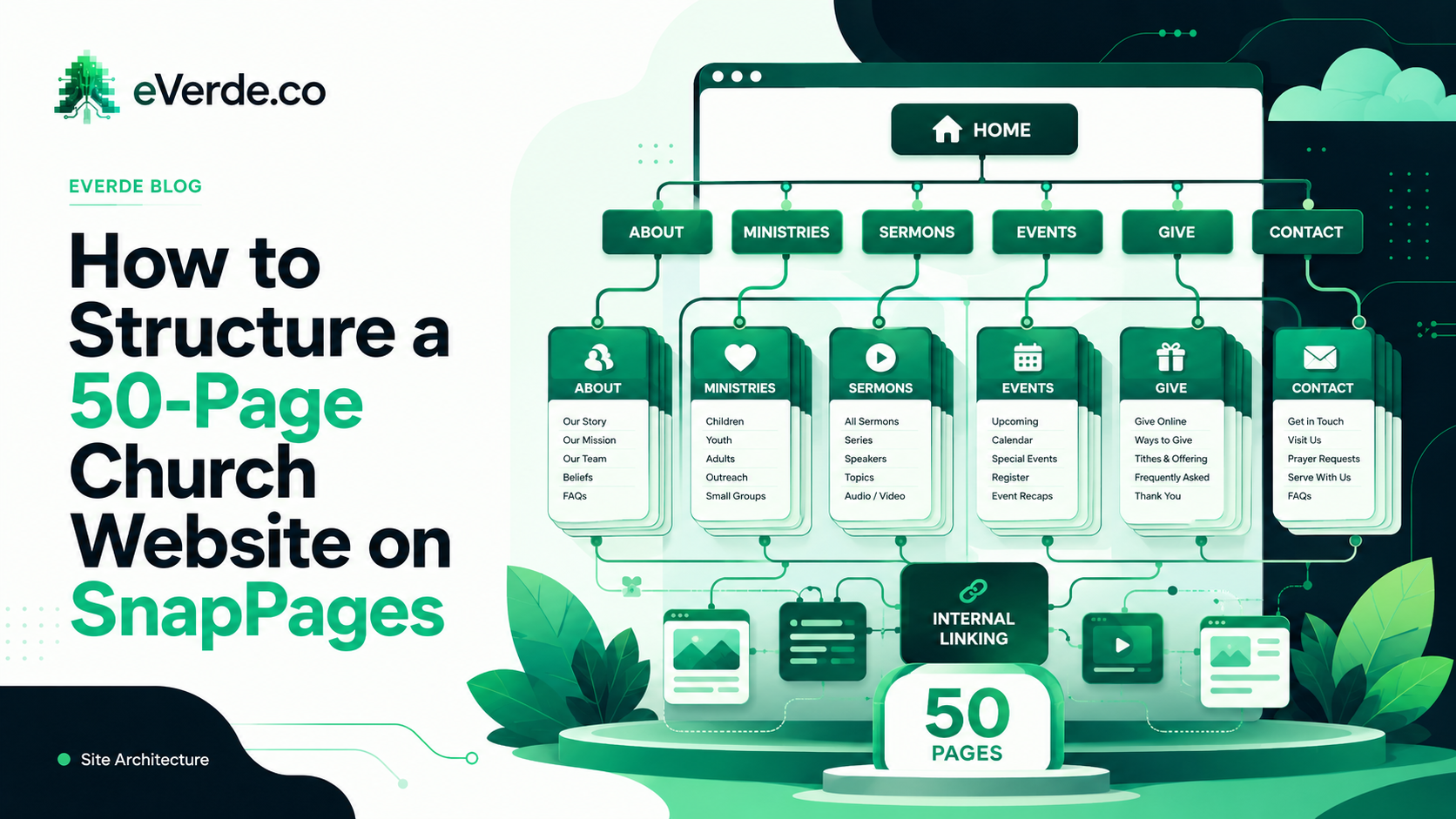
A custom Subsplash website build starts with a tree structure. Top-level pages are your major categories. Sub-pages nest underneath them. Navigation reflects the hierarchy so visitors always know where they are.
For a typical 50-page church site, the tree looks something like this:
About: who we are, what we believe, staff, locations, history. Five to eight pages under one parent.
Connect: next steps, small groups, serving, baptism, membership. The visitor pathway pages grouped by audience intent.
Ministries: kids, students, adults, seniors, care, missions. Each audience gets a page that pulls in relevant events and content automatically through Subsplash tags.
Events: main calendar, plus landing pages for major events like VBS, conferences, and retreats. Most events do not need their own page because the event detail lives in the Subsplash event system.
Media: sermons, podcast, blog, resources. Content pages that populate automatically from the Subsplash media library.
Give: one page, clean, focused on the action.
That is six top-level navigation items. Under those sit 40 to 50 pages organized logically. A visitor can find anything in two clicks. Google can crawl the hierarchy and understand what matters.
Navigation Architecture
Your main navigation should have five to seven items maximum. These are your top-level categories. Everything else lives under them.
Do not put every page in the navigation. A missions trip landing page does not need to be in the main menu. It lives under Ministries or Events and people find it through the parent page, through a direct link in the weekly update, or through a Google search that lands them directly on it.
The navigation is not a site map. It is a pathway. Design it around the three or four things a first-time visitor needs to find and the two or three things a regular member accesses every week.
Internal Linking Strategy
Pages need to link to each other. Not just through navigation, but through the content itself. Your kids page should link to the events page for VBS. Your small groups page should link to the connect page for next steps. Your sermon page should link to the blog for related content.
Internal links tell Google which pages are important (the ones with more links pointing to them) and help visitors move through your site without going back to the main menu.
Most SnapPages sites have zero internal links beyond the navigation. That is a missed opportunity for both SEO and user experience.
SEO Structure
Every page needs: a unique title tag that includes what the page is about and your church name, a meta description that tells Google what the page contains, a clear H1 heading that matches the title, and a URL that reflects the page hierarchy.
For a custom Subsplash SnapPages build, I set all of this up as part of the architecture. Most churches never touch title tags or meta descriptions, which means Google is guessing what every page is about. When you have 50 pages, Google guessing means Google ignoring.
Multi-Campus Considerations
If your church has multiple locations, the page count multiplies. Each campus needs its own section with location-specific information, while sharing organizational pages like beliefs, leadership, and giving.
The architecture for a multi-campus custom Subsplash site requires careful planning. Campus pages need to feel local while remaining connected to the parent church. Events need campus tags so each location shows its own calendar. Staff pages need to display campus-specific teams.
This is where SnapPages architecture gets complex and where most churches need expert help. A 50-page single-campus site is manageable with a good plan. A 50-page multi-campus site without architecture is chaos.
The Maintainability Test
After building the architecture, I ask one question: can your communications person maintain this without me? If the answer is no, the architecture is too complex.
The goal of a custom Subsplash build is not to create something only an expert can manage. It is to create a structure so clear that your team can add pages, update content, and create events without breaking the system. The architecture should make their job easier, not harder.
If your SnapPages site has grown past 20 pages and feels disorganized, the fix is not starting over. The fix is adding structure to what you already have. A Discovery session maps your current content, identifies the hierarchy, and designs the tree. Building Sprints restructure the pages, fix the navigation, and set up the SEO. Your content stays. Your architecture transforms.