
Learning the Pipes: My API Journey to Better Serve Subsplash Clients
 Reed VerdesotoDigital Systems Architect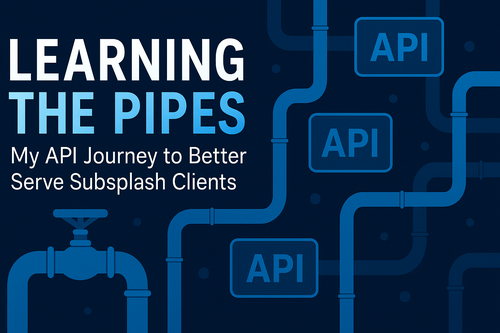
A few days ago, I sent an email to Cody at Subsplash about building a lightweight API-based sync for CityRise's multi-campus app setup. That note kicked off something bigger than I expected — not just a technical challenge, but a personal learning journey.
If you know me, you know I've always been a tinkerer. I love asking questions, sketching out systems, and figuring out how to make things easier for the end user — you, the churches, ministries, and organizations I work with every day.
So when this multi-app content syncing issue came up, I decided it was time to stop relying solely on the answers I got from support tickets or Slack threads. I wanted to understand the why and the how behind it all. I wanted to learn APIs from the ground up so I could bridge the gap between technical and practical — between code and ministry.
The API Construction Walkthrough
Imagine your digital ecosystem as a house — your app, your website, your forms, your data. APIs are the plumbing that connect it all together.
API (Application Programming Interface)
— An API is the plumbing system that connects two buildings. You can't see it, but data flows through pipes whenever you turn a valve (send a command).
Endpoint
— An endpoint is a specific faucet or fixture — the place you go to get a certain kind of data. /sermons might be the kitchen sink. /events might be the shower.
Request
— A request is turning the valve — telling the system, "Send water through this pipe." You decide which pipe (endpoint), what kind of action (GET, POST, etc.), and what filters (parameters).
Response
— The response is the water coming out of the pipe. If the water is clean (code 200 OK), perfect. If it's not flowing (404 Not Found), something's clogged.
Authentication
— Authentication is the water meter or master key that proves you're allowed to use the system. Without it, the flow doesn't even start.
Webhook
— A webhook is a pressure sensor that automatically alerts or triggers something when water moves. Think of it as your plumbing saying, "Hey, something just changed — here's the update."
The Big Picture
— If your church app is the house, then the API is the plumbing, each endpoint is a faucet, requests and responses are water moving through the pipes, authentication ensures only you can use it, and deep links and handlers make it interactive.
Why I'm Learning This
My goal isn't to become a developer. It's to understand enough to design better systems for the people I serve. Learning the language of APIs helps me connect the technical and the practical so we can build digital ecosystems that just work.
Because when everything flows right, ministry flows right too.
Originally published on reedverde.com